AMOS Bingo Card Generator
Design printable bingo cards and export them as a PDF or as separate JPEG pages.
- 90-ball tickets, 75-ball cards and custom line bingo
- Books of 6 and no two cards the same
- Ink-saver printing and a caller's check sheet
The AMOS Bingo Suite pairs the AMOS Bingo Card Generator, which designs and prints your cards, with BingoPro, the dual-screen caller that shows every number big on a second screen and verifies a winner by card number.
Card #0042 · Any line
Make the cards in one, run the game in the other. The card list travels between them, so BingoPro knows every card in the room.
Design printable bingo cards and export them as a PDF or as separate JPEG pages.
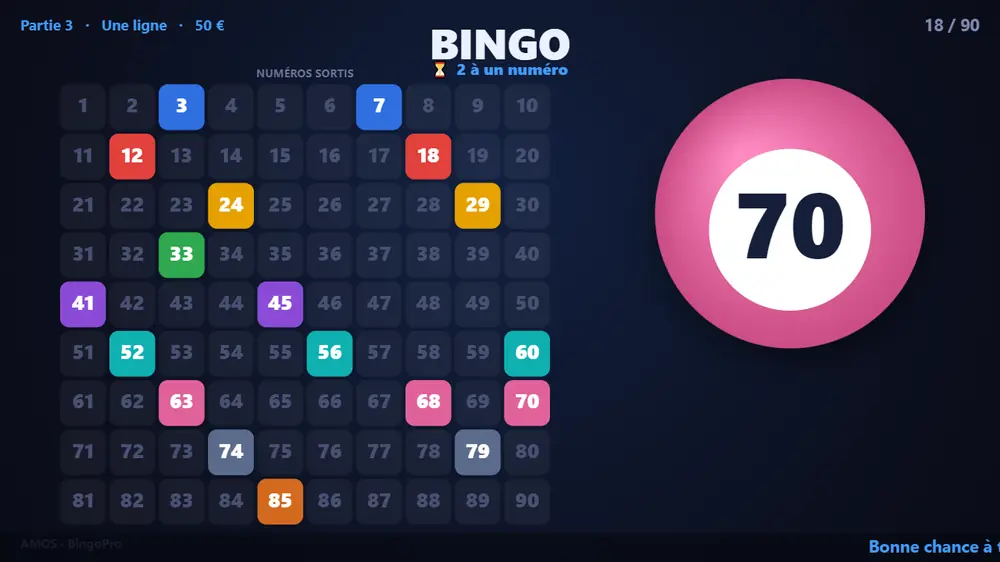
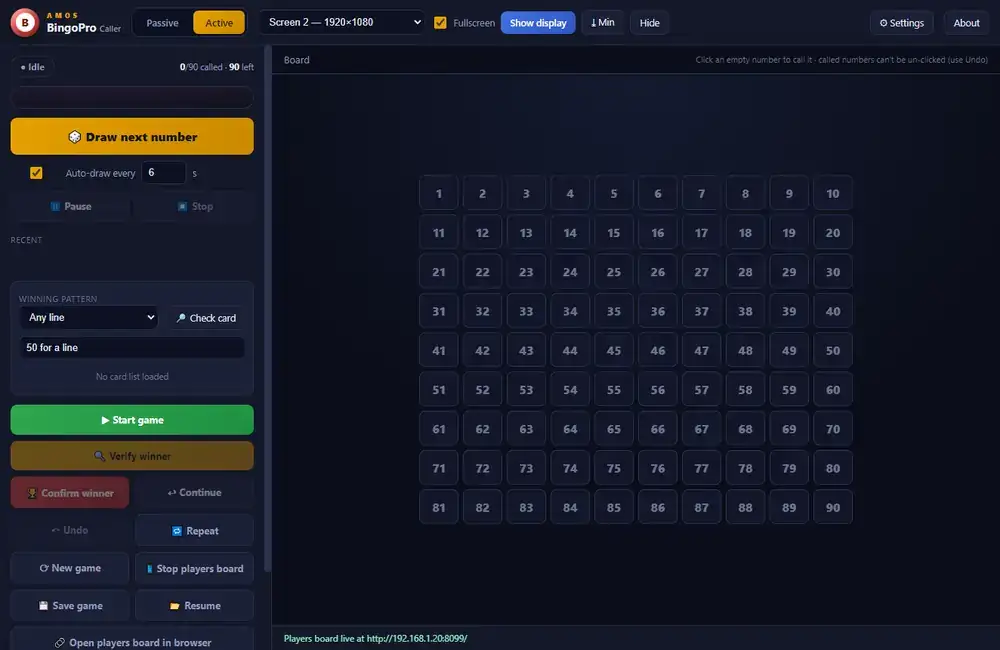
A dual-screen bingo caller: the operator drives the game, the audience sees big animated numbers on a projector or second monitor.
The control window stays with the operator. The public display goes fullscreen on any monitor you choose.
Operator control plus a fullscreen public display on any chosen monitor or projector.
Type each number drawn from your own cage, or let BingoPro draw: one at a time or automatically every few seconds.
1–90, 1–75 with B I N G O letters and classic ball colours, 1–100, or your own custom range.
Load the card list from the Card Generator and verify a winner by card number. Confirm winner stays disabled until a card genuinely wins.
A live "one to go" badge that flips to "BINGO on a card" the moment a loaded card completes the pattern.
Spoken numbers with optional traditional nicknames; any line, two lines, four corners or full house; multi-stage rounds and an on-screen prize label.
English, French, Spanish and German, for the public display and the voice.
A local web page mirrors the called numbers to phones over Wi-Fi, or fullscreen on a TV or laptop.
Built-in sounds for draw, verify and winner, an intro jingle, your own audio files, and winner confetti.
Classic, blue, green and high-contrast palettes, a background image, a scrolling ticker and sponsor or event logos.
Every event is logged and exportable to XLSX or CSV: start, draws, verifications and winners.
Games, numbers drawn, averages and a number-frequency heatmap, exportable to CSV.
Pick a format, give it a title and shuffle. The app does the same at scale and lays the cards out on A4, Letter or A3 pages, ready to print.
Custom line bingo, the standard 90-ball UK ticket (3×9, five per row) and the 75-ball card (5×5, coloured B-I-N-G-O header, FREE centre).
Presets (1–100, 0–99, 1–90, 1–75) or any min/max, with numbers grouped into columns by section size, and numbers per line and lines per card you choose.
90-ball books of 6 where every number 1–90 appears once per book, and a guarantee that no two cards are identical.
A text title or a logo on top, a footer note, a date and a card serial on every card.
A4, Letter or A3, portrait or landscape, any grid of cards per page, cut guides, export DPI and JPEG quality, with a live preview.
Ink-saver black and white printing, and a caller's check sheet (serial + numbers) added to PDF and JPEG exports.
Every step is covered in the AMOS Bingo Suite user manual.
Choose the format, range and branding, then export the cards as a PDF or JPEG pages.
Save every card as .abc, CSV, XLSX or TXT so the caller knows each card by its number.
Load the card list, pick range, pattern and prize, then send the display to the projector.
Type or draw each number. Players follow on the big screen or on their phones.
When someone shouts bingo, check their card number. Confirm only lights up on a genuine win.
Export the audit log to XLSX or CSV and the session stats to CSV.
The AMOS Bingo Suite is available on request. Tell us about your event or venue and our team will get you set up with BingoPro and the Card Generator.
support@amolvin.com · +230 5986 1097